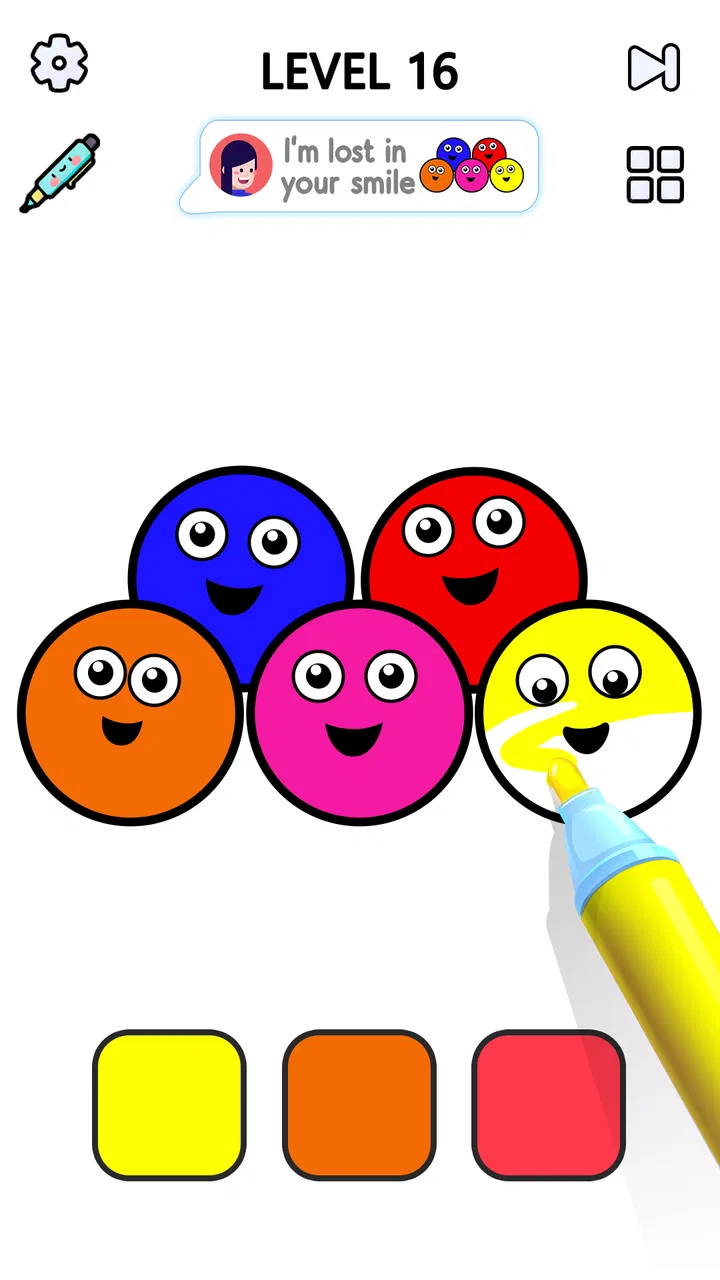
Satisfying Coloring
- 4.4
- Rating
- 50.00M
- Installs
- Free
- Price

 Analysis by App-foxy
I spent time with Satisfying Coloring expecting a simple way to unwind, and that is exactly where this casual game makes the most sense. The basic idea is easy to understand: tap and swipe across drawings to bring them to life with color. There is no complicated opening tutorial or demanding setup, so I could start playing almost immediately and use it in short, quiet moments.
What makes the game worth discussing is not a deep plot or a competitive challenge. Its appeal comes from the physical rhythm of touching the screen, following the drawing, and watching unfinished areas become complete. That makes it a very different proposition from action games, puzzle games with strict timers, or creative apps that ask you to build an image from scratch. I see it as a low-pressure coloring activity presented in a game format.
Mad1 Games is the developer behind this experience, and the game sits in the casual category. It is free to start, carries a Teen content rating, and runs on devices using Android 7.0 or later. The current version is 5.0, while its release date was April 29, 2024. Those details matter because this is the kind of title people often install on an older spare phone or tablet for occasional relaxation.
You May Also Like

 Blood Strike: 2.5 Anniversary
Blood Strike’s Loadouts Turn Every Drop Into a Tactical Gamble
A close look at Blood Strike’s custom loadouts: how fast access to signature weapons reshapes its battle royale rhythm, rewards preparation, and narrows the gap between fights.

 Pandora - Music & Podcasts
Pandora’s Music Is Easy to Start, but Harder to Recover
Pandora’s strength is its low-effort path from a seed to a station. Its weak spot is how much confidence it asks you to place in connection, setup, and quiet recovery.

 8 Ball Pool
 Is Built on Rivalries, Rematches, and Routine
A close look at the rivalries, rematches, shared routines, and unanswered safety questions that turn a quick pool match into a persistent mobile community.

 Samsung Music
’s Quiet Strength Is Playing What You Already Own
Its reach comes less from spectacle than from dependable access to a personal library. That simplicity is both the app’s strongest retention engine and its ceiling.

 AccuWeather: Weather Radar
AccuWeather Review: A Quick, Clear Forecast for Everyday Decisions
For everyday plans, the best forecast is the one you can understand quickly. AccuWeather makes rain timing, radar, and local conditions easy to act on, with a few trade-offs.

 Hill Climb Racing
Why Hill Climb Racing Still Turns Crashes Into One More Run
A tiny car, a bumpy hill and one more upgrade: Hill Climb Racing keeps resurfacing because its simple chaos makes every near-miss feel personal.
More From Our News Desk
View All News


How the coloring experience feels in everyday use
The controls are the main attraction. Tapping feels more deliberate when I want to work on a small section, while swiping is more natural for larger areas or when I want to keep the process moving. That combination gives the game a pleasant, almost repetitive flow. I do not need to remember complicated gestures, manage an inventory, or learn a set of rules before enjoying it.
I found the best use case to be a short break when I wanted something more engaging than scrolling but less demanding than a conventional game. For example, after finishing a task, I could open it for a few minutes, complete part of a drawing, and stop without feeling that I had abandoned a mission or wasted progress. It also suits a quiet evening when I want an activity for my hands but do not want to concentrate on a story or a difficult puzzle.
The tap-and-swipe design also makes the game approachable for people who are not regular players. Someone who normally avoids games because of fast reactions or complicated controls can understand the central interaction right away. The experience is closer to guided digital coloring than to traditional gaming, which is a strength for relaxation but also sets a limit: players looking for variety, competition, or a strong sense of mastery may find it too gentle.
One useful habit is to slow down around small sections instead of dragging quickly across everything. A broad swipe can feel satisfying, but careful taps make the activity more deliberate and reduce the sense that I am simply rushing through a picture. I also prefer playing with the screen held comfortably and brightness adjusted for the room, because the experience depends heavily on looking closely at the artwork for several minutes.
The game works best when I treat each image as a short focus exercise rather than a race. I can divide a drawing into areas, finish one group of colors, and pause before continuing. That approach is especially helpful when I am using it as a break from work or study. It gives the session a natural stopping point without requiring a formal level timer or a competitive target.
What the free access means for value
The most important cost detail is straightforward: the game itself is free to download and play. That makes it easy to test without committing money first. For a casual coloring title, this is valuable because the appeal is personal. Some players will immediately enjoy the repetitive tapping, while others will discover that the format feels too basic after a few minutes.
There are in-app purchases priced at $4.99 per item. I would therefore judge the game primarily on how enjoyable the free access feels before considering any optional purchase. A free starting point is useful here because it lets me decide whether the drawing process, pace, and presentation fit my habits rather than asking me to pay before I understand the experience.
I would not describe the purchase price as automatically good or bad in isolation. Its value depends on how much time I expect to spend coloring and whether the available paid item addresses something I actually want. If I only open the game occasionally during short breaks, free access may be enough. If I return often and feel that an optional item improves the way I use it, the same price can be easier to justify. The key is to avoid paying simply because the game creates a moment of satisfying completion.
That distinction is important with relaxing games. The pleasant feeling of finishing a drawing can make an optional purchase seem more urgent than it really is. I recommend playing several sessions first, noticing whether the free experience already meets your needs, and then deciding. This is a better value test than assuming every extra purchase is necessary for the core activity.
Where it delivers real value
The game delivers its strongest value through accessibility and low mental demand. I can pick it up without preparing for a long session, and the central action remains understandable even when I am tired. That gives it a practical role as a small decompression tool rather than something that competes for all of my attention.
It can also be useful for people who like visual completion. There is a particular satisfaction in seeing an incomplete drawing become more finished through a sequence of simple actions. The game turns that feeling into a repeatable activity, so it may appeal to anyone who enjoys coloring books, paint-by-number formats, or organizing visual details but prefers using a phone.
Another strength is the low barrier for sharing the activity with someone nearby. A parent, older relative, or friend who is not comfortable with complex mobile controls can understand the basic interaction quickly. Because the game is rated Teen, I would still treat it as a title for that age range rather than assuming it is designed specifically for very young children.
For me, the best value comes when I use it intentionally. Opening it while waiting, winding down, or taking a screen break can make the free game feel worthwhile even if I never become a regular player. It does not need to replace a larger hobby to justify its place on a device; it only needs to provide a pleasant activity when I need something simple.
The game’s popularity also suggests that the format has broad appeal. It has passed 10 million installs and holds a 4.4 average from around 58 thousand ratings. Those figures do not guarantee that I will enjoy every part of it, but they fit my impression that the concept is easy for many people to understand and return to.
Tradeoffs that affect the decision
The same simplicity that makes the game welcoming can make it feel limited. I did not approach it for strategic depth, narrative development, or a demanding skill curve, and I would not recommend it to someone whose main goal is any of those things. Its success depends on whether the act of coloring itself is enough to hold attention.
There is also a difference between relaxing repetition and monotonous repetition. During a short session, the steady pattern of tapping and swiping can feel calming. Over a longer session, that pattern may become less interesting if I am looking for constant novelty. I would recommend keeping sessions flexible instead of expecting the game to sustain the same excitement as an action title or a competitive puzzle game.
Players who enjoy traditional coloring apps may also notice a tradeoff. A dedicated coloring application usually feels more like a creative workspace, while this title presents coloring as a lightweight game activity. That can be better when I want guidance and a quick result, but less satisfying when I want complete artistic control over every detail.
Compared with paint-by-number alternatives, this game’s tap-and-swipe interaction feels more immediate and less like a slow manual project. Compared with open-ended drawing tools, it is easier to begin but offers less freedom. Compared with match-three or idle games, it avoids the pressure of chains, upgrades, or resource management, yet it may provide less long-term progression for players who enjoy building toward a larger goal.
That comparison helped me understand who should skip it. If I want a game that rewards planning, tests reflexes, or gives me a reason to return through a complex progression system, a different casual title would probably be a better fit. If I want a creative app where I can choose the subject, palette, and composition freely, a drawing or full-featured coloring tool may offer more control.
There is a smaller practical tradeoff as well: touch accuracy matters. On a compact phone, working on detailed parts can feel less comfortable than on a larger screen. A tablet-sized display would likely make the gestures easier to see and perform, while a small device is more convenient for quick sessions. I would choose the device based on whether portability or visual comfort matters more to me.
Who is most likely to enjoy it
I would recommend this game to people who want a calm, immediately understandable activity. It is especially suitable for players who like completing visual patterns, prefer short sessions, or want a gentle alternative to games built around failure and competition. It can also work for someone trying to reduce aimless scrolling without taking on a demanding new hobby.
It is a good match for a waiting-room routine, a short commute when playing is practical, or a wind-down period before bed. In those situations, the game’s value comes from giving my attention a simple direction. I can focus on the current drawing, enjoy the gradual completion, and close the app when I am ready.
I would be more cautious about recommending it to people who need offline creative freedom, though I would not assume specific connectivity behavior without testing the exact device setup. My recommendation is based on the interaction itself: if you want to make your own pictures, this is not the same kind of tool. If you want to color guided drawings with minimal effort, it is much closer to what you are looking for.
It may also suit families who want to try a simple game together, but the Teen rating should be taken seriously when deciding whether it is appropriate for a particular child. The rating is not a reason to reject the game automatically, yet it is a reminder to check the intended audience rather than treating every coloring-themed title as a children’s product.
For frequent mobile gamers, the decision depends on expectations. I can see it working as a secondary app alongside more demanding games, especially when I want something quiet between longer sessions. I would not install it as my only game if I expected a large amount of variety or a strong long-term challenge.
My buy-or-skip verdict
My recommendation is to try the free version first. That is the clearest value proposition because the central coloring activity is easy to understand within a short session, and there is no need to pay before knowing whether the pace suits you. If you enjoy the process and return to it naturally, an optional purchase at $4.99 per item can be considered on its own merits rather than as an entry fee.
I would skip it if I am searching for a full drawing studio, a strategic casual game, or a title with a strong competitive loop. The game is not trying to satisfy those needs, and its simple structure may feel thin when compared with alternatives built around creativity, progression, or challenge.
For the right player, though, the simplicity is the point. I like that I can open it without learning a system, use taps or swipes according to the size of the area, and stop after a few minutes without losing the relaxed mood. That makes it a practical little game rather than something I need to schedule time around.
Overall, I see Satisfying Coloring as a worthwhile free casual game for anyone who finds guided coloring genuinely calming. Mad1 Games has focused the experience on an uncomplicated interaction, and that focus is both its strongest feature and its main limitation. Try it when you want a quiet visual activity; choose another option when you need deeper creativity, competition, or progression.
FAQs for Satisfying Coloring
01What is Satisfying Coloring, and how does it work?
Satisfying Coloring is a mobile app designed to provide a relaxing and enjoyable coloring experience. Users can choose from a wide variety of intricate designs and color them using a palette of beautiful hues. The app offers unique features like gradient fills and texture options, enhancing the creativity and satisfaction of coloring.
02Is Satisfying Coloring suitable for all age groups?
Yes, Satisfying Coloring is designed to be user-friendly and engaging for all ages. While children will enjoy the vibrant colors and fun designs, adults will appreciate the app's relaxing qualities and intricate patterns. Parental guidance is recommended for younger users to ensure a suitable experience.
03Are there in-app purchases in Satisfying Coloring?
Satisfying Coloring includes optional in-app purchases that allow users to unlock additional color palettes, designs, and premium features. While the app offers a solid free version, these purchases can enhance the overall experience by providing more creative tools and exclusive content.
04Can I share my completed artworks from Satisfying Coloring?
Yes, the app allows you to easily share your completed artworks on social media platforms or with friends directly from the app. This feature encourages users to showcase their creativity and receive feedback, making the coloring experience more interactive and rewarding.
05Does Satisfying Coloring require an internet connection to function?
No, Satisfying Coloring can be used offline, making it perfect for on-the-go relaxation. However, an internet connection is required for downloading new content packs and accessing certain social features. This flexibility allows users to enjoy the app anywhere, anytime.
Pros
- Intuitive interface for easy navigation.
- Wide variety of coloring templates.
- Relaxing music enhances experience.
- Supports offline coloring sessions.
- Regular updates with new designs.
Cons
- Some features locked behind paywall.
- Ads can be intrusive at times.
- Limited export options for artwork.
- Occasional performance lags.
- No option for custom color palettes.

Satisfying Coloring
Gallery